Free credit card payoff planner
Debt Payoff Lab
A credit card payoff plan built from the money you already have. It shows the month you'll be debt-free, and what to pay each day so checking never drops below a number you pick.
After it opens, make your own copy. Your numbers save to that copy, not the shared one. Runs inside Claude, so you'll need a Claude account; a free one works. How to get started · About the Windows app · Read the user guide


If the cards are keeping you up
Start with rough numbers. Fix them later.
Five cards, five due dates and no idea which one to pay first? That's what this was built for, and the free version handles it. Put in what you know, look at the plan, and fill in the rest when you have the statements in front of you. Every step has a Skip for now button.
Your numbers save to your own Claude account. Nobody at Wilder Labs Studio sees them.
It never suggests new credit, balance transfers or loans. It plans with the money you have.
No account needed
When could you be debt-free? Try the demo.
Type in your take-home pay, your monthly expenses and what you owe on up to 10 cards and 5 loans. The demo shows the month you could be debt-free, the interest and fees along the way, and the order your debts get paid off, using the same math as the full app.
It runs in any browser with no sign-up. Nothing you type is saved or sent anywhere.
Try the demo
What you get
Two pictures of your money, and a list for this week
The payoff plan, month by month
Bills and every card's minimum get paid first. What's left goes to one card at a time, in the order you choose. When a card reaches $0.00, its minimum joins the extra for the next card.
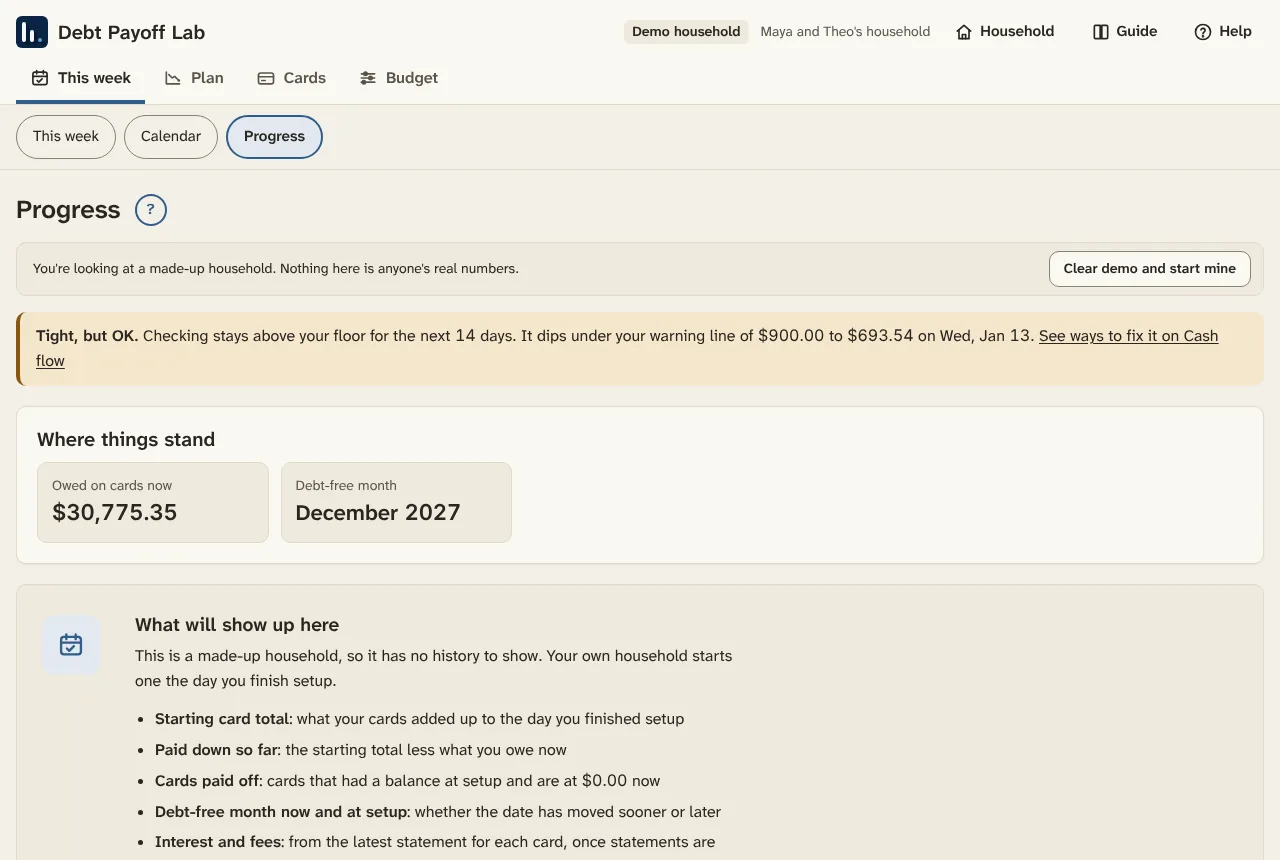
You see your debt-free month, the interest and fees along the way, and how your minimums shrink as cards are paid off.
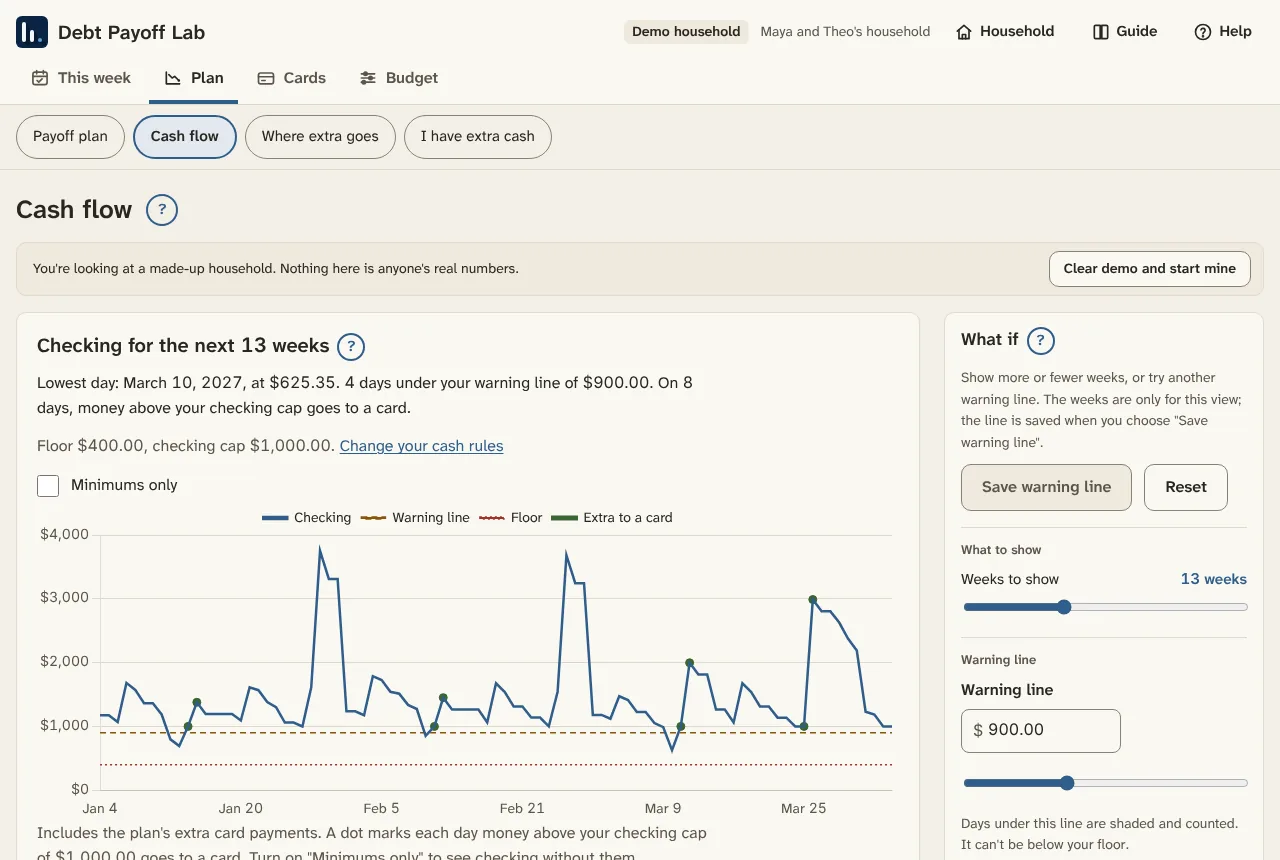
Checking, day by day
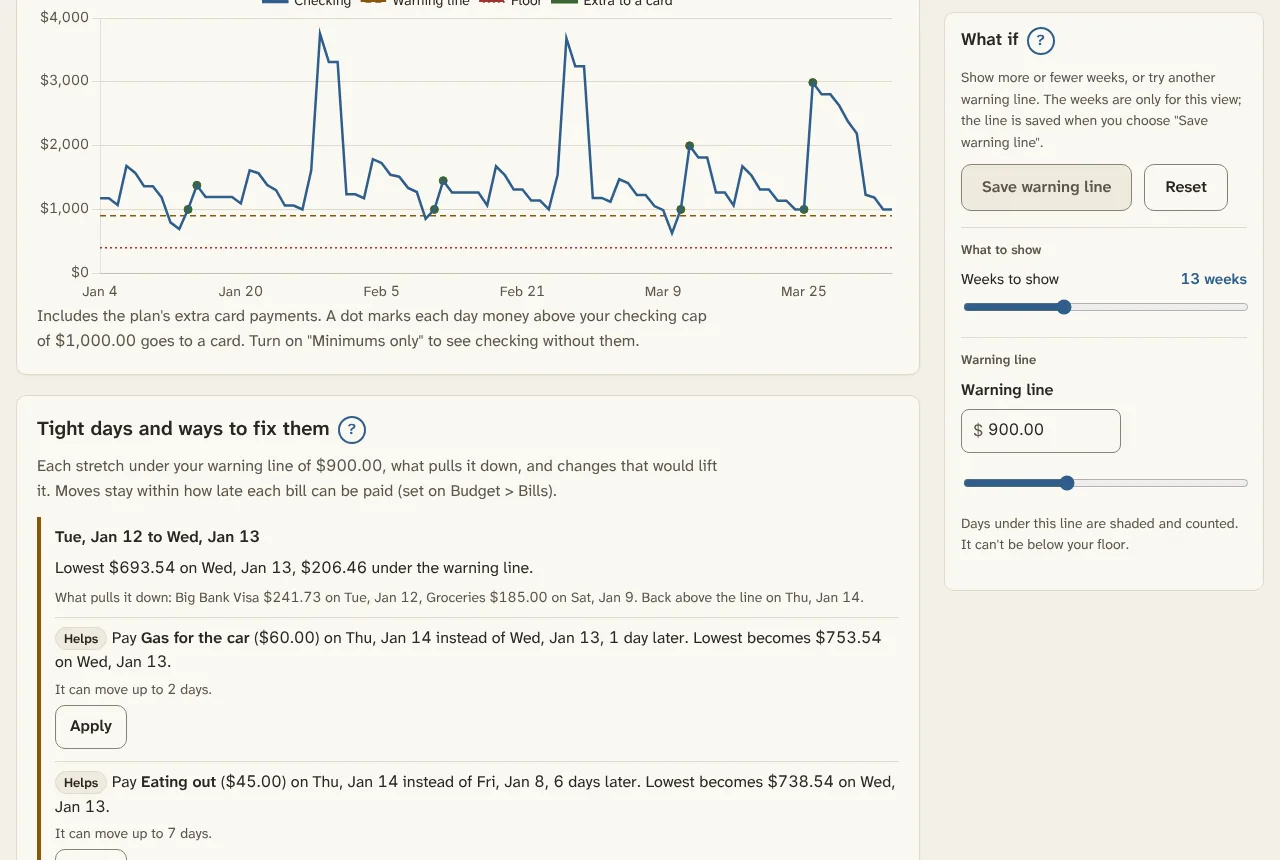
Every payday, bill, card payment and savings move lands on its real date for the next 13 weeks, so you can see what checking ends at each day.
When a stretch dips under your warning line, the app lists fixes, like moving a bill a few days later or sending less extra to a card that week. Apply one, or undo it.
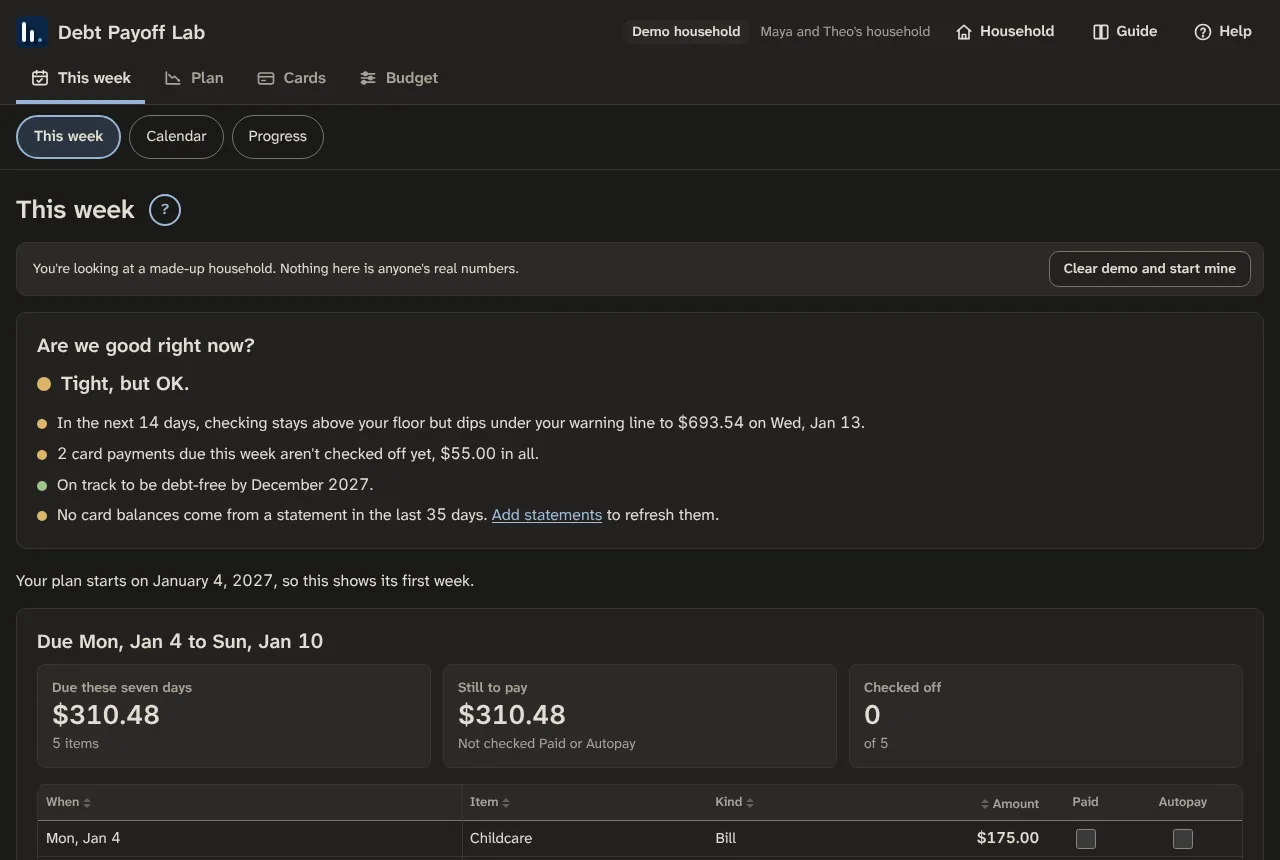
This week: what to pay, and are we OK?
A short list of what's due in the next seven days, from which account, with Paid and Autopay boxes. Above it, a few quick checks marked Fine, Worth a look or Needs a look.
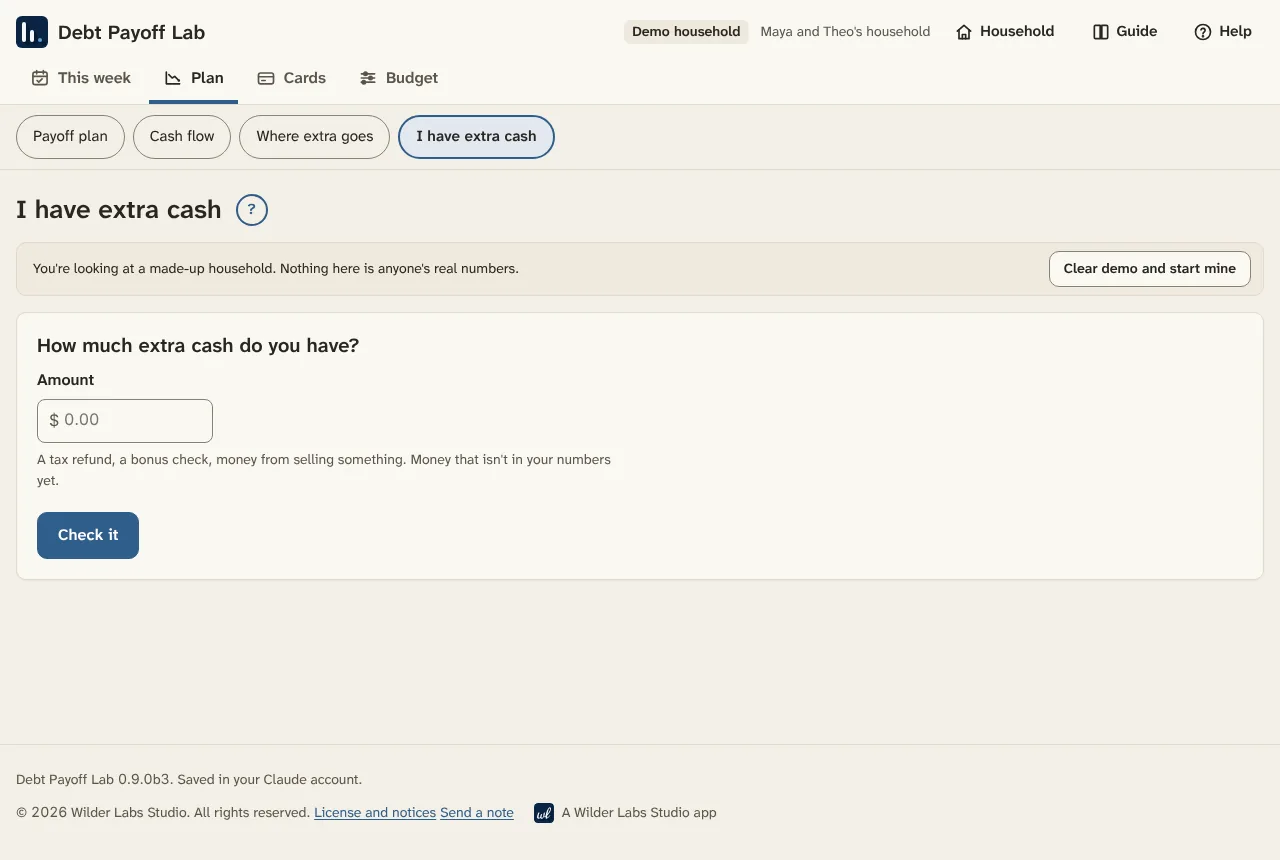
Got a tax refund or a bonus? I have extra cash checks that you're covered first, then ranks which card it helps most.

Look around
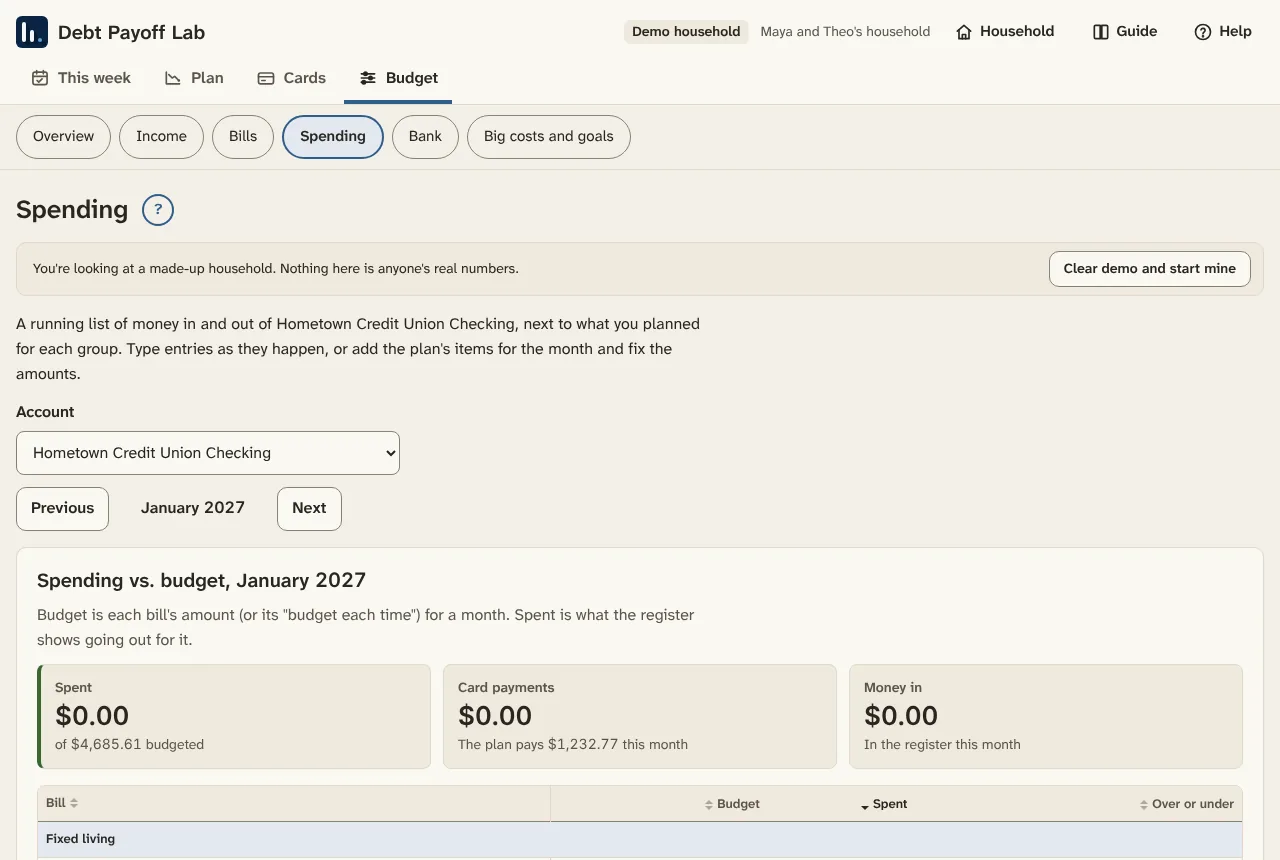
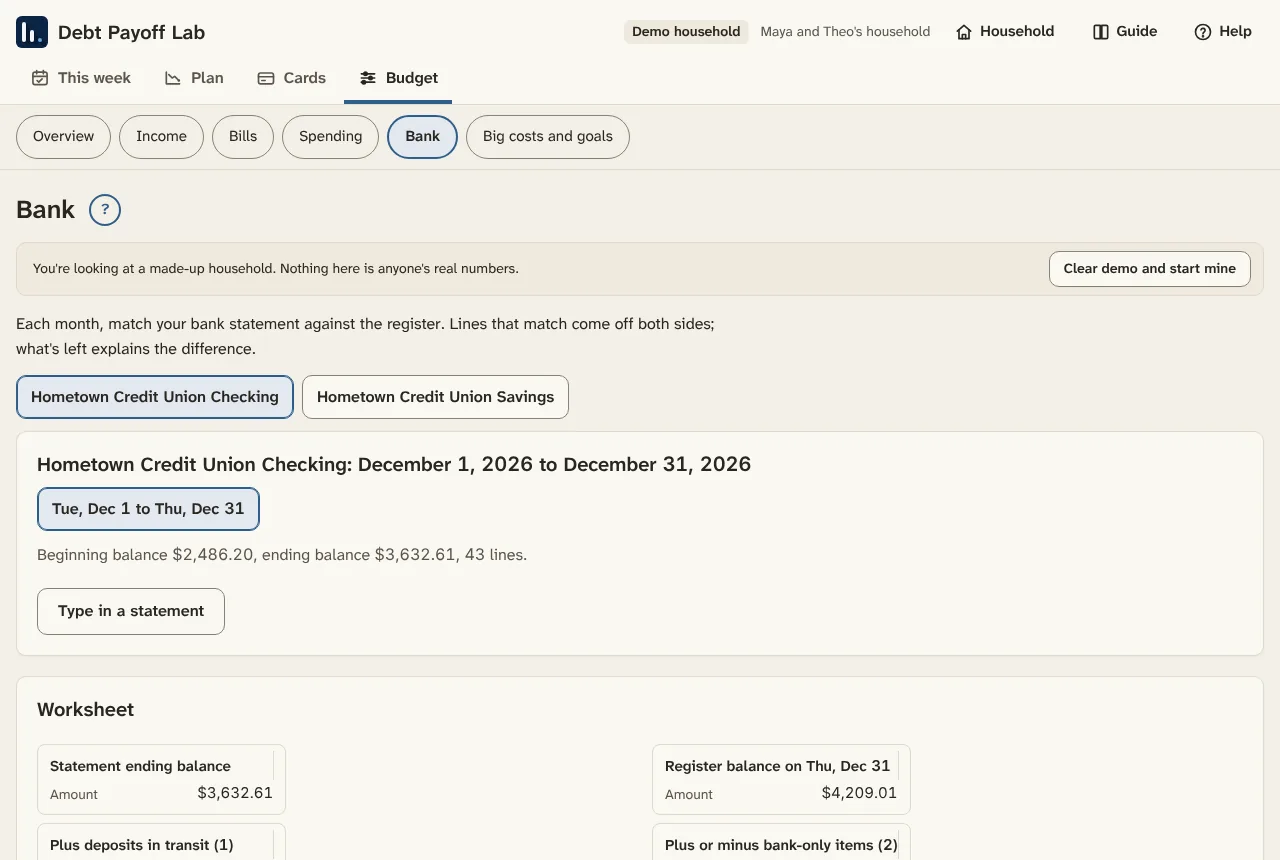
Every tab, with a made-up household
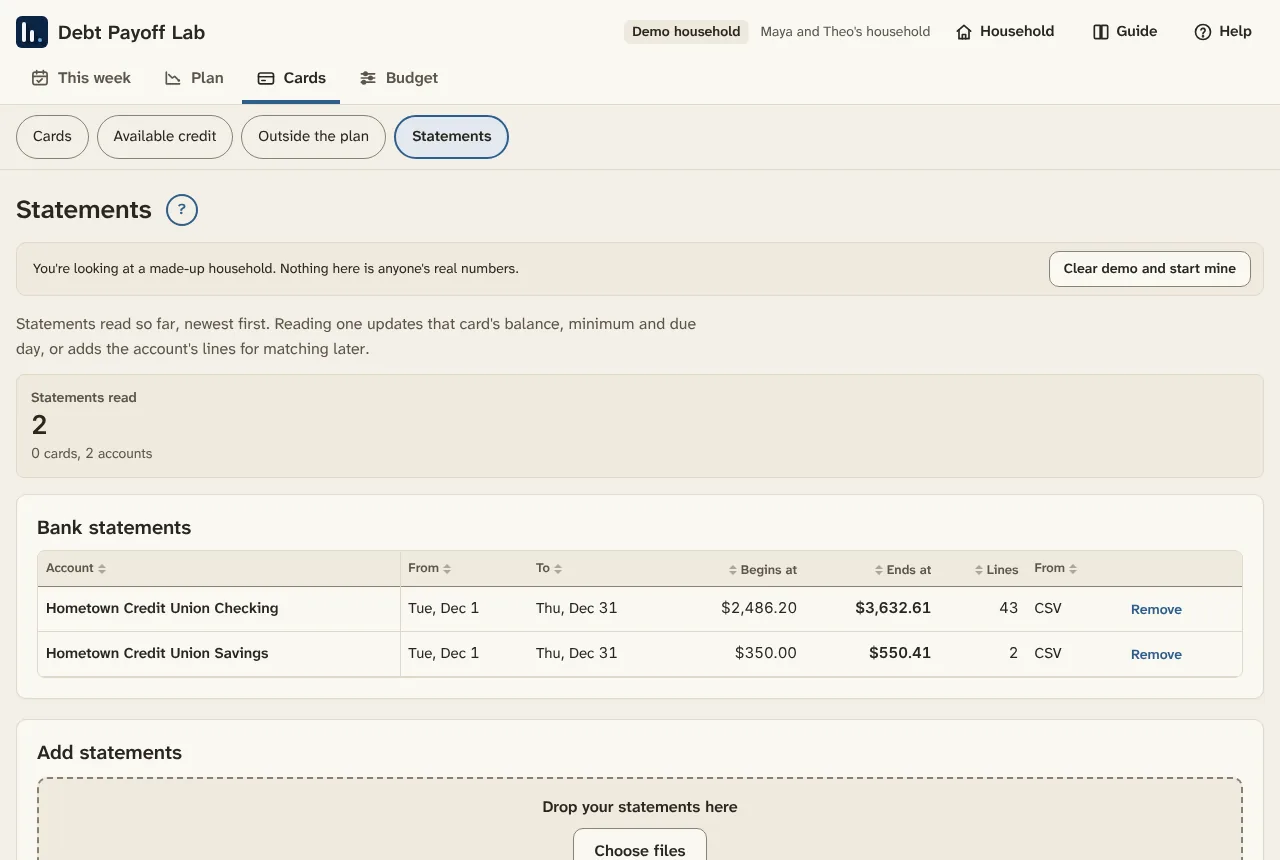
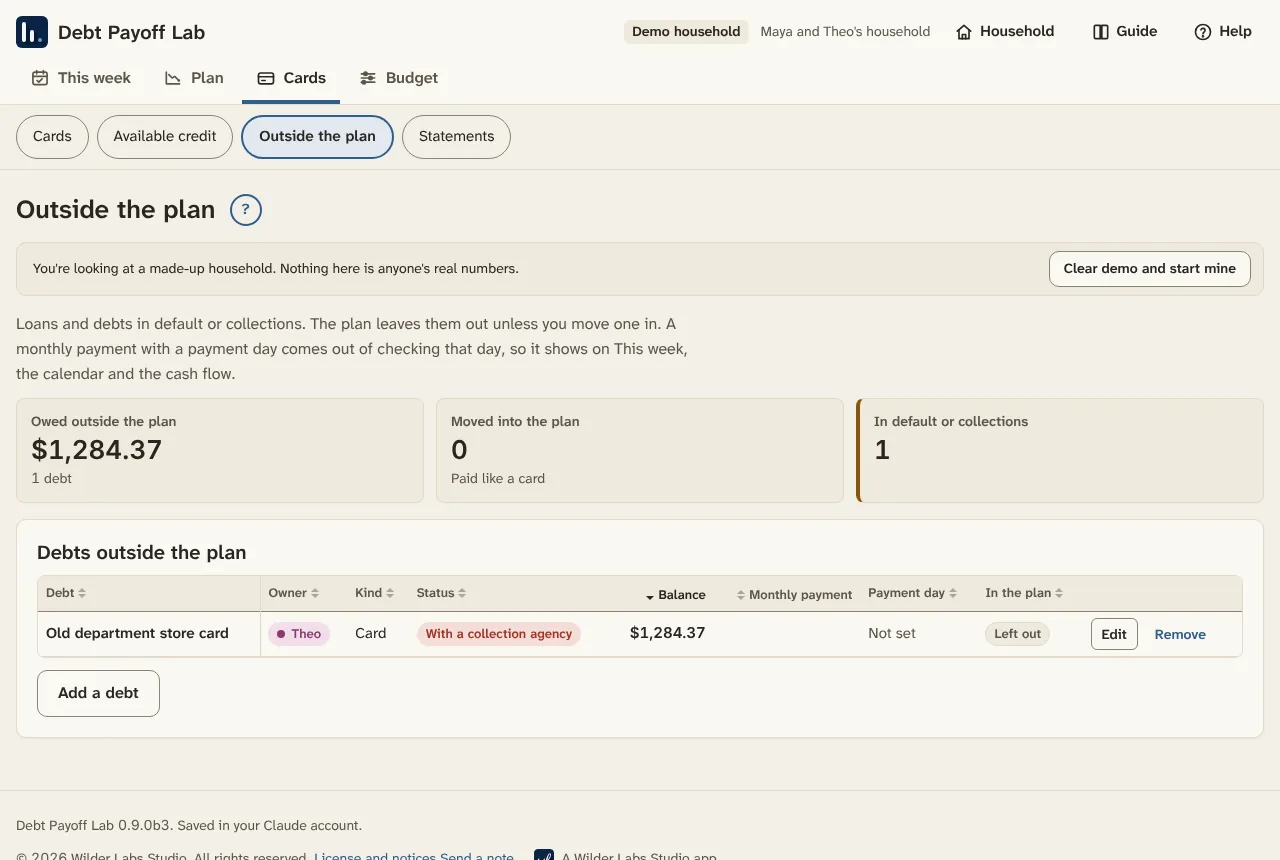
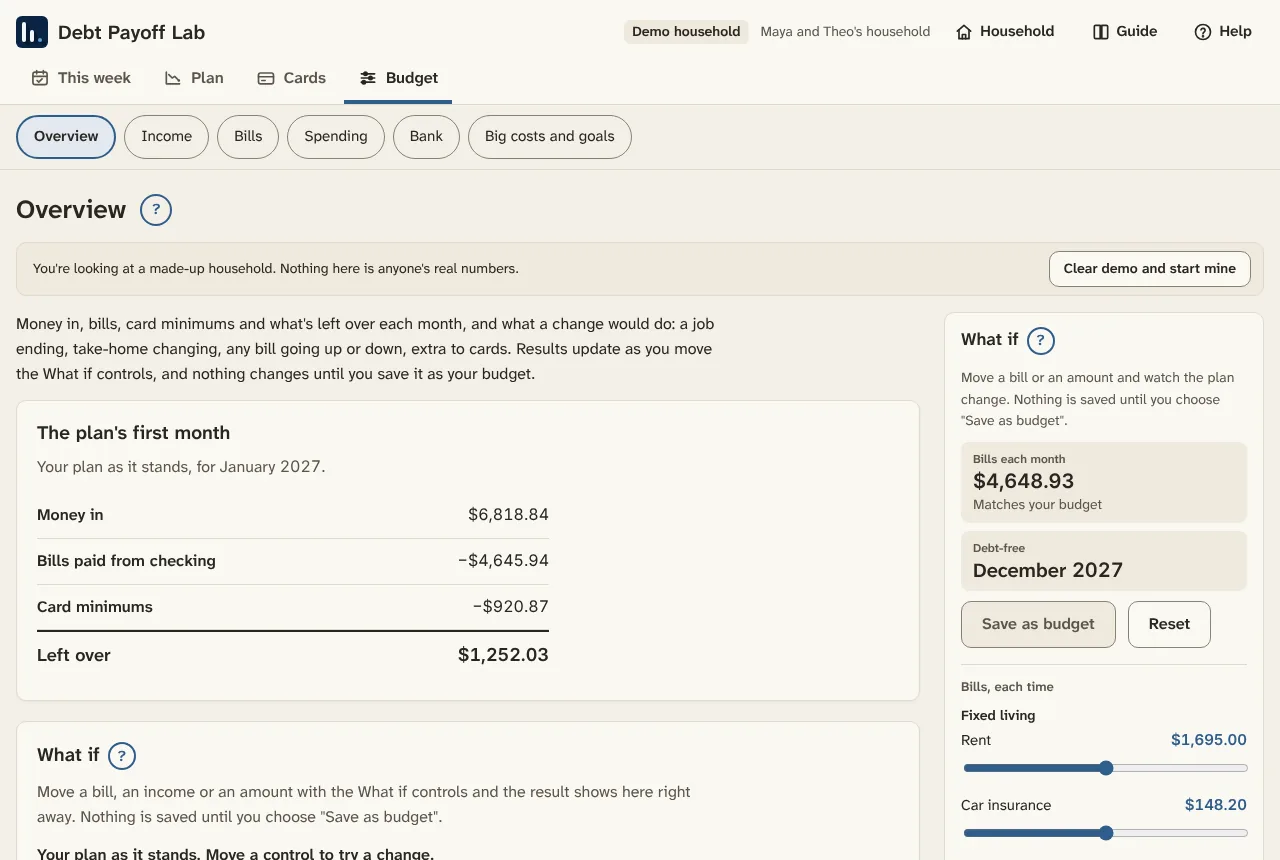
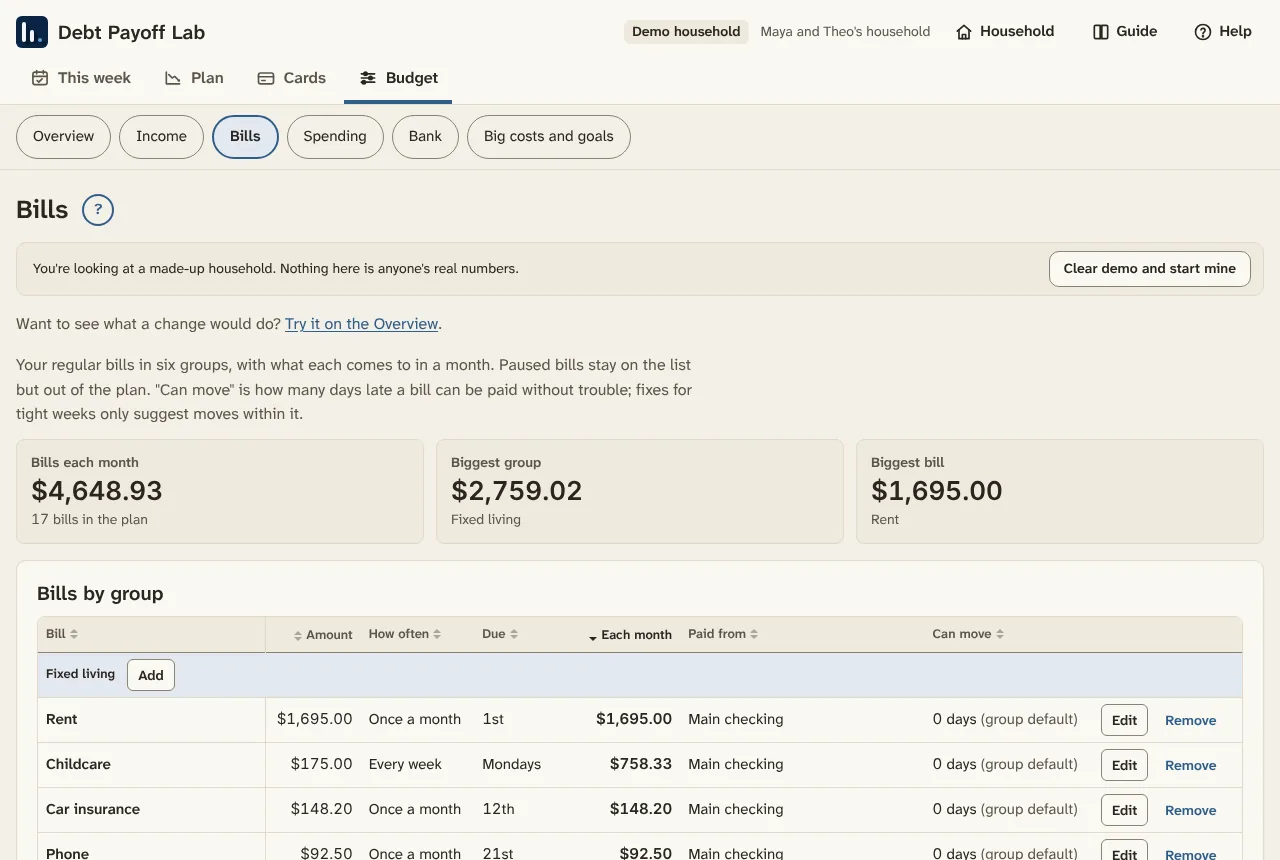
These screens use the demo family that ships with the app. You can load it yourself and click through before typing in anything real.
Pick your order
Three ways to pay it down
Every order pays all the minimums first. The order only decides which card gets the extra. The difference is often smaller than people expect, so pick the one you'll stick with. You can switch any time.
Highest rate first
Also called the avalanche
Usually the least interest overall.
Smallest balance first
Also called the snowball
Whole cards paid off soonest, and each one frees its minimum.
Cash flow first
For months that are tight
The card with the biggest minimum for its balance goes first, so monthly room opens up fastest.
Best on a computer
Set it up on a laptop or desktop
Every page fits a phone, but Debt Payoff Lab does its best work on a bigger screen:
- The What if sidebar stays open beside the plan, so you see the debt-free month move as you slide a bill or add extra.
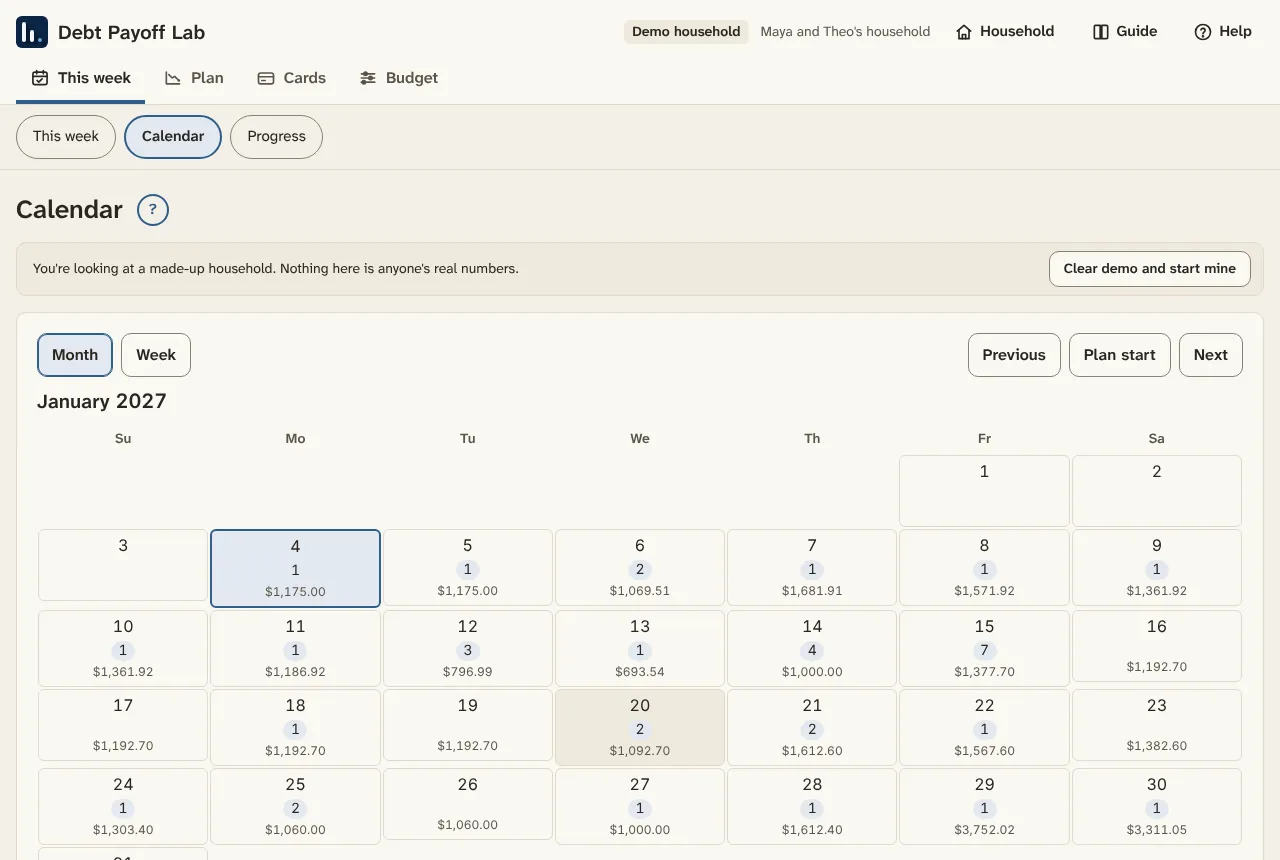
- The calendar shows a whole month with each day's checking balance.
- Bank reconciliation has room for the statement and your register side by side.
- Dropping in a stack of statements is easier from a computer's downloads folder.
A good routine: do setup and the monthly update on a computer, then use your phone for the weekly check-in.
You're on a phone right now. It works here, but setup goes faster on a computer.
Getting started
Three steps, about 15 minutes
-
Get a Claude account
The app runs inside Claude, and that's where your numbers are saved. A free account works. Already have one? Skip to step 2.
Other ways to get Claude: iPhone and iPad · Android · Windows and Mac app · Any web browser
-
Get the app, then make your own copy
Get the app opens the shared link, the one everyone opens. A yellow banner at the top says so. Numbers typed there stay only in that browser, so make your own copy first:
- Open the artifact menu at the top of the page and choose to make a copy (it may say remix).
- Your copy opens. Bookmark it and use it from now on, on any device where you're signed in to Claude.
- You're in your copy when the yellow banner is gone and the footer says "Saved in your Claude account."

-
Try the made-up household, or start with yours
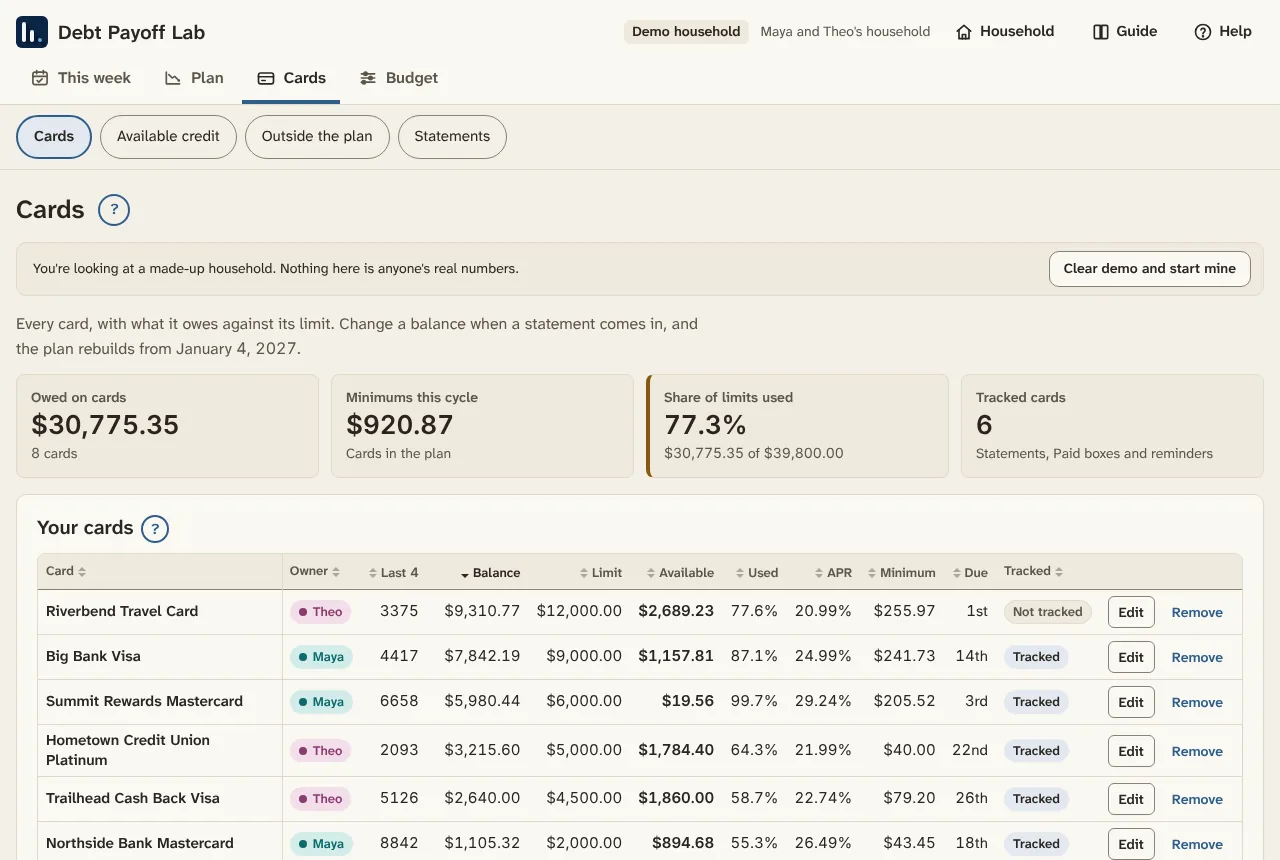
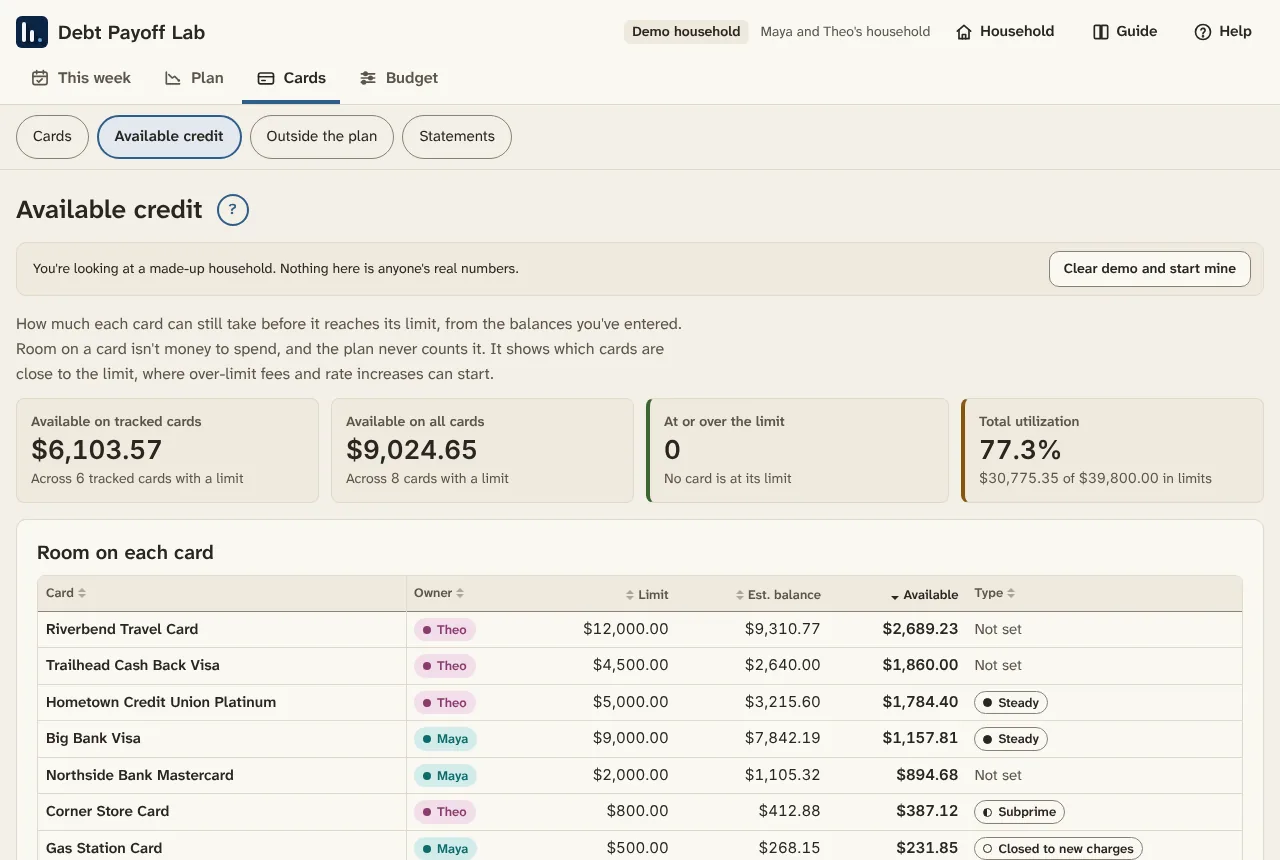
Choose Try it with made-up numbers to click around a demo family with eight cards and a tight week. When you're ready, choose Clear demo and start mine. It helps to have a recent statement for each card, your take-home pay and paydays, your regular bills, and what checking holds today.

Desktop app · Beta
Prefer it on your own computer?
The desktop app runs on your own Windows computer. No account, no Claude needed, and your numbers never leave your computer.
Free. Windows 10 or 11 (64-bit). Version 0.9.0 beta 2. Mac version coming later. Blocked by your antivirus? Try the no-exe version. All downloads and release notes.
This download is for Windows computers. It won't run on a phone.
Installing it
- Unzip the download: right-click it and choose Extract All.
- Open the Debt Payoff Lab folder and double-click Start Debt Payoff Lab.bat.
- The app opens in your browser. Keep the Debt Payoff Lab window open while you use it.
This beta isn't signed with a paid certificate yet, so Windows may show "Windows protected your PC." Click More info, then Run anyway.
Free and Pro
Free for most households
If you're digging out from a handful of cards, the free versions are all you need, for as long as you need them. One runs in Claude and one runs on your own Windows computer. Until November 10, 2026, the Claude version has every feature and no limits, and households started before then keep it that way. Pro is for bigger, more tangled situations, and it's still being built.
Free in Claude
$0
- Runs in Claude: in a web browser, the Claude desktop app, or the Claude app on iPhone and Android
- Payoff plan, day-by-day cash flow, budget, calendar and bank reconciliation
- Every card you have counts in the plan
- Start before November 10, 2026 and you keep every feature, with no limit on cards, bank accounts or expense lines of your own
- Numbers saved to your own Claude account
- Reading PDF and photo statements and the Ask box run on your Claude plan's usage, like any chat
Free desktop app
$0
- Runs on your own Windows 10 or 11 computer. Mac version coming later.
- No account and no Claude needed
- Your numbers are saved on your computer and never leave it
- Every card counts in the plan. Tracks 6 cards and 2 bank accounts in detail, and keeps up to 10 expense lines of your own.
- Beta testers with a code get no limits. Ask for a code.
Version 0.9.0 beta 2. No-exe version if your antivirus blocks the program.
Pro
Price coming later
- The desktop app with every card and bank account tracked
- No limit on expense lines of your own
- A license key you buy once and enter in the desktop app. No account.
- 60-day refund, no questions asked
- Beta testers get Pro free for 6 months when it launches
Privacy
Your numbers stay with you
No accounts of its own
No logins, no tracking, and nothing is sent to the people who make it.
Last 4 digits only
Full card and account numbers, logins and passwords are never kept.
Statements are read and let go
The app keeps the balances and dates it finds, never the file itself.
Questions
Common questions
Do I need a Claude account?
For the Claude version, yes. Your numbers save to your Claude account, and a free account works. Sign up at claude.ai or in the Claude app, then open Debt Payoff Lab and make your own copy. The Windows desktop app needs no account.
Is there a desktop version?
Yes, for Windows 10 and 11, as a free beta. It runs on your own computer with no account, and your numbers never leave your computer. A Mac version is coming later. Download it and see the install steps.
Can I try it without a Claude account?
Yes. The demo works in any browser with no account. Type in your pay, expenses, cards and loans to see the month you could be debt-free. Nothing you type is saved or sent anywhere. The Claude version needs a free Claude account, and the Windows app needs none.
Is it really free?
Yes. The free version has the payoff plan, cash flow, budget, calendar and reconciliation, and every card counts in the plan. In the Claude version, households started before November 10, 2026 have no limit on cards, bank accounts or expense lines. The Windows app tracks 6 cards and 2 bank accounts in full and keeps 10 expense lines of your own, and a beta code lifts those limits. Reading PDF or photo statements and the Ask box use your own Claude plan's usage like any chat.
Do I have to make my own copy?
Yes, to keep your numbers. The shared link is for looking around, and numbers typed there stay only in that browser. Your own copy saves them to your Claude account. If your numbers ever seem gone, check for the yellow banner: if it's there, you're on the shared link, so open your copy from your bookmark.
Will my copy get new features?
Not on its own. Your copy stays the version you copied. To move to the newest version, save a backup file in your copy, make a new copy from the shared link, and load the backup there. The user guide has the steps.
Does it work on my phone?
Yes, in the Claude app on iPhone and Android or on claude.ai in your phone's browser. Every page fits a phone screen, with the tabs along the bottom. Setup is easier on a computer.
Who can see my numbers?
Only you. In the Windows app, your numbers stay on your computer. In the Claude version, your own copy saves to your Claude account, and the numbers stay private even if you share the copy. Only the last 4 digits of any account number are kept.
Will it tell me to get a balance transfer or a loan?
No. It never suggests new credit, balance transfers, consolidation loans, personal loans or borrowing from retirement. It works with the money you have.
Which payoff order should I use?
Highest rate first usually costs the least interest. Smallest balance first clears whole cards soonest. Cash flow first opens up monthly room fastest when every month is tight. The app shows all three side by side, and you can switch any time.
The plan shows no debt-free date. What now?
The money coming in doesn't cover the bills and minimums yet. A lot of people land here. Check for a missing paycheck, a monthly bill set to weekly, or a minimum typed too high. Then use the Budget sidebar to try a lower bill, more income, or a big cost moved later.
Does it connect to my bank?
No. It never asks for a bank login. You type your numbers or upload statements you download from your bank or card site.
How do I get a beta code?
Ask on the beta page. Each code is for one person and comes by email. Paste it on Household > Summary, under Join the beta. It works in the Claude version and the Windows app.
How do I send feedback?
In the app, choose Help > Send a note. Or email [email protected].
Is this financial advice?
No. It does planning math with the numbers you give it. It isn't financial or legal advice.
User guide
Every screen, step by step
The full guide walks through setup, each tab, a weekly and monthly routine, and fixes for common problems, with screenshots throughout.
Read the user guide