Wilder Labs Studio / Blog
Why old Microsoft websites stay put until support runs out
Classic ASP and older ASP.NET sites can run for years without trouble. What finally moves them is the Windows Server underneath losing support, and those dates are already set.
Somewhere in Reno there's a feed store with a website that has worked since 2003. We'll call it Sierra Feed & Supply. It's made up, but plenty of real businesses will recognize it. The page for alfalfa pellets lives at an address ending in products.asp?id=114. Orders come in. The owner hasn't touched the site in years and has had no reason to.
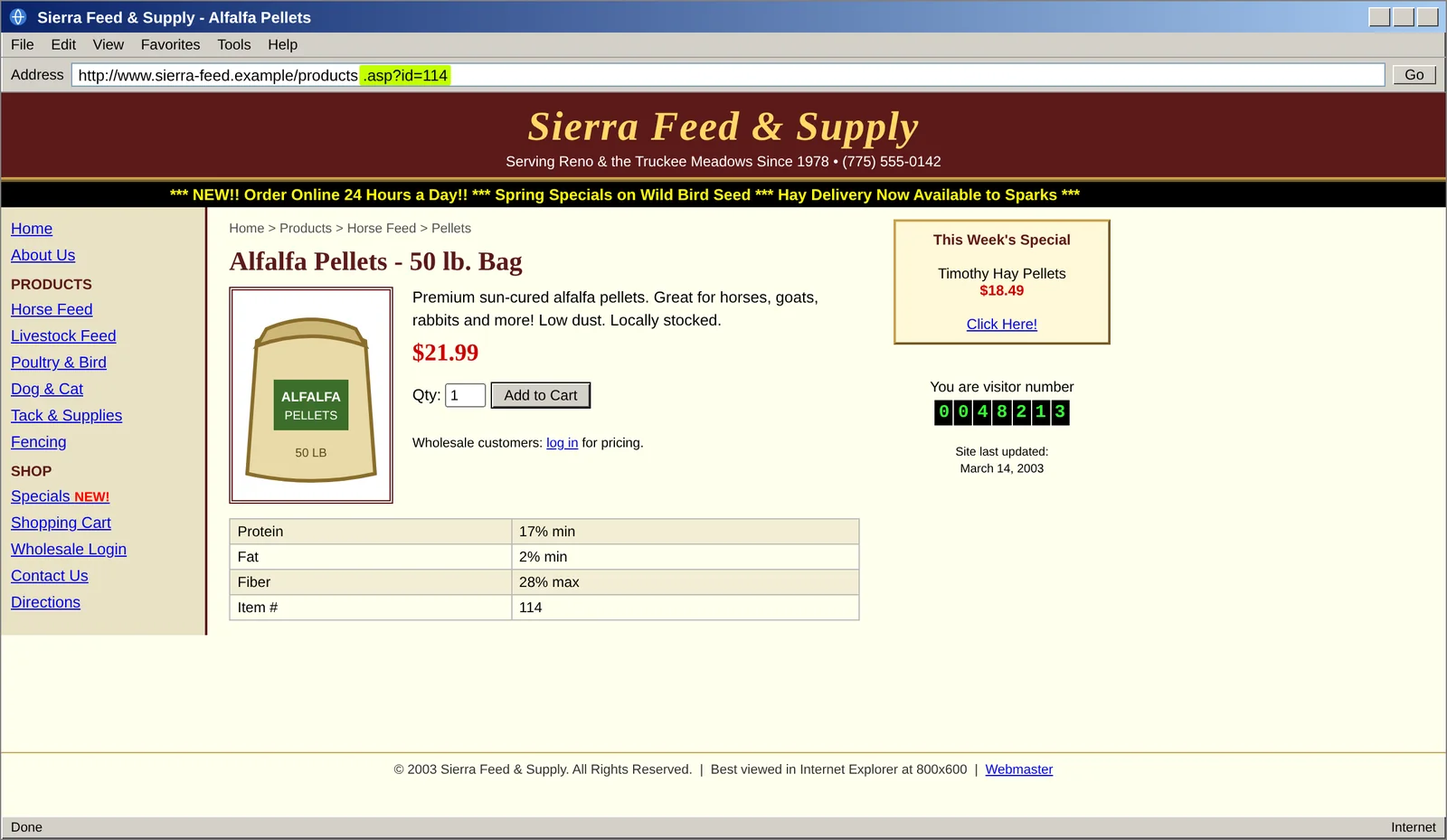
products.asp?id=114. The hit counter and the "Best viewed in Internet Explorer at 800x600" note date it to the early 2000s. (Sierra Feed & Supply is a fictional business.)Sites like this run on Microsoft technology from the late 1990s and early 2000s: Classic ASP, or its successor, ASP.NET Web Forms. Their owners hear "you should modernize" from every web company that emails them. Most of them don't, and they usually have good reasons. We're Wilder Labs Studio, a small software studio in Reno, and this is our plain-language look at why these sites are so hard to leave, and at what will eventually make the decision for you. If you've searched for Classic ASP end of life, the short answer is that it ends when your Windows Server does.
Classic ASP and Web Forms: two generations of Microsoft websites
A website lives on a computer called a server. Some pages are fixed, like a printed flyer. Others get assembled fresh for each visitor: the server looks up the product and the price and builds the page on the spot. The instructions for that are called server-side code.
Classic ASP, short for Active Server Pages, was Microsoft's first way to write it. It arrived in December 1996 with IIS 3.0. IIS is Microsoft's web server software, the program that hands pages to visitors. Developers wrote in a scripting language called VBScript and mixed it right into the page's HTML, the code that controls how a page looks. ASP 3.0 came with Windows 2000, and it was the last version. Its pages end in .asp.
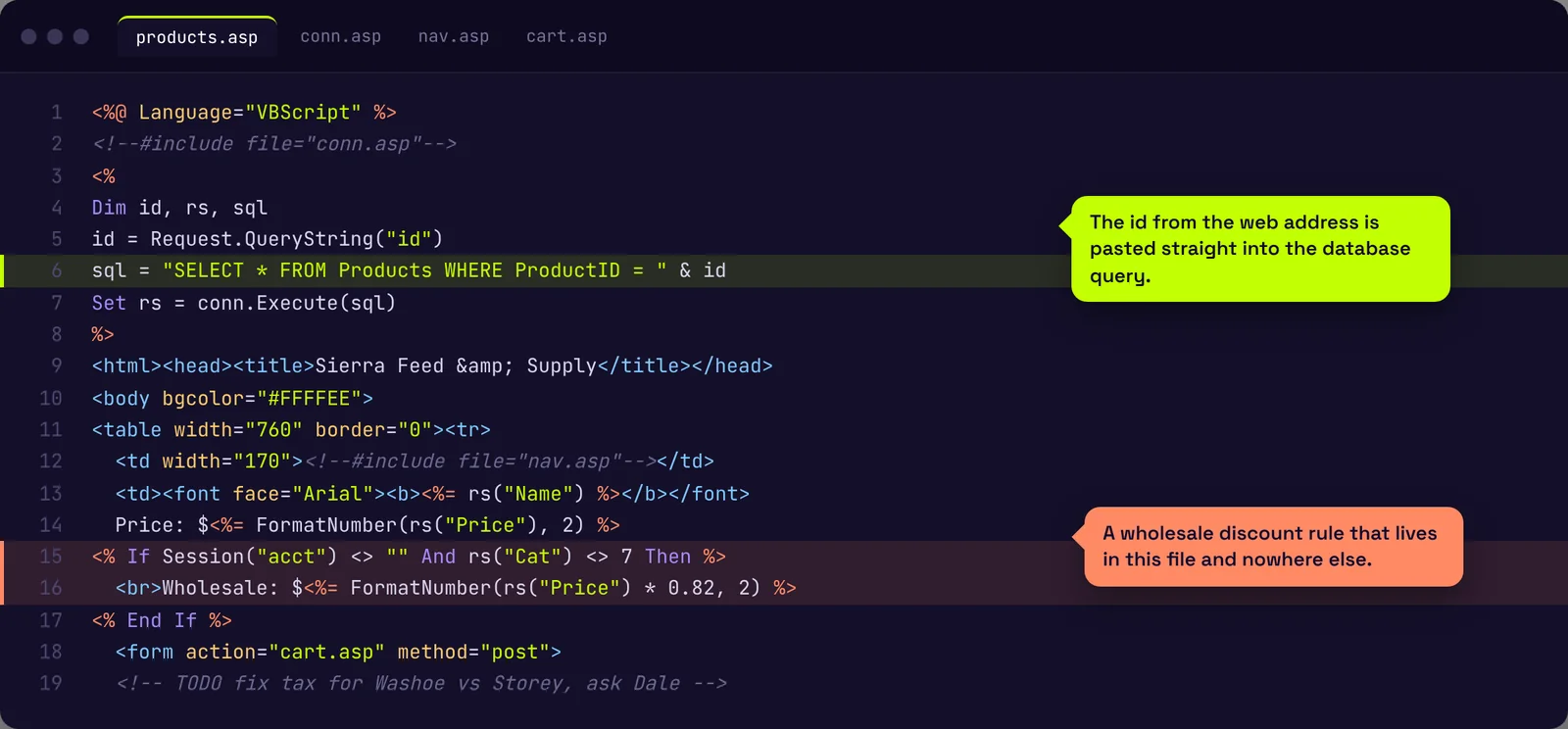
ASP.NET replaced it in early 2002. Its original style, Web Forms, tried to make a web page behave like a desktop program. Every button click sends the whole page back to the server, which developers call a postback, along with a hidden bundle of data called ViewState that remembers what was on the screen. These pages end in .aspx. Web Forms runs on the .NET Framework, Microsoft's toolkit for Windows programs. In 2019 Microsoft said version 4.8 would be the last major one. Version 4.8.1 followed in 2022 as a smaller update.
Then Microsoft started over. ASP.NET Core, launched in 2016, is the modern version, and it runs on Linux servers as well as Windows. Web Forms didn't make the trip. Microsoft wrote in 2019 that it would not be adding Web Forms to the new platform. The postback and ViewState approach has no match there, so every page has to be rebuilt. Classic ASP or Web Forms, moving forward means a rewrite.
PHP makes a useful comparison. It showed up in 1995 as a rival to ASP and kept shipping new versions, up to PHP 8.5 in November 2025. W3Techs, a company that surveys the technology behind websites, finds PHP on about 69 percent of sites whose server language it can identify and ASP.NET on about 4 percent. Classic ASP doesn't get a line of its own.
Is Classic ASP still supported?
Microsoft isn't pushing these owners out. Its support page says ASP works in every supported version of IIS and that ASP's support lasts as long as the Windows version it runs on. .NET Framework 4.8.1 gets the same deal: while the Windows underneath is supported, so is it. Microsoft's own guide for moving Web Forms sites to newer tools asks why a working app should be moved at all, and answers, "Many times, there's no need."
So owners wait, for reasons that hold up.
There's no small first step. You can't install an update and wake up on a modern platform. It's a rebuild or nothing, and a rebuild is hard to fit into a busy season.
The person who built it is gone. Many of these sites were made by a freelancer or a local firm that closed years ago. How the site figures sales tax or prices wholesale accounts lives only in the code, and nobody wrote it down.
Important things hang off it. Card payments, customer logins, a nightly price feed from a supplier. Owners worry, fairly, that touching the site will break the part that brings in money.
Web Forms sites often lean on ready-made grids and calendars bought from outside software companies years ago. The old versions of those parts only work on the old framework, so they would have to be replaced as well.
Search rankings sit on the old addresses. If people find the store by searching "alfalfa pellets Reno" and land on products.asp?id=114, that address has years of trust behind it with Google. Lose it carelessly and you can give up ground that took a decade to earn.
What waiting costs
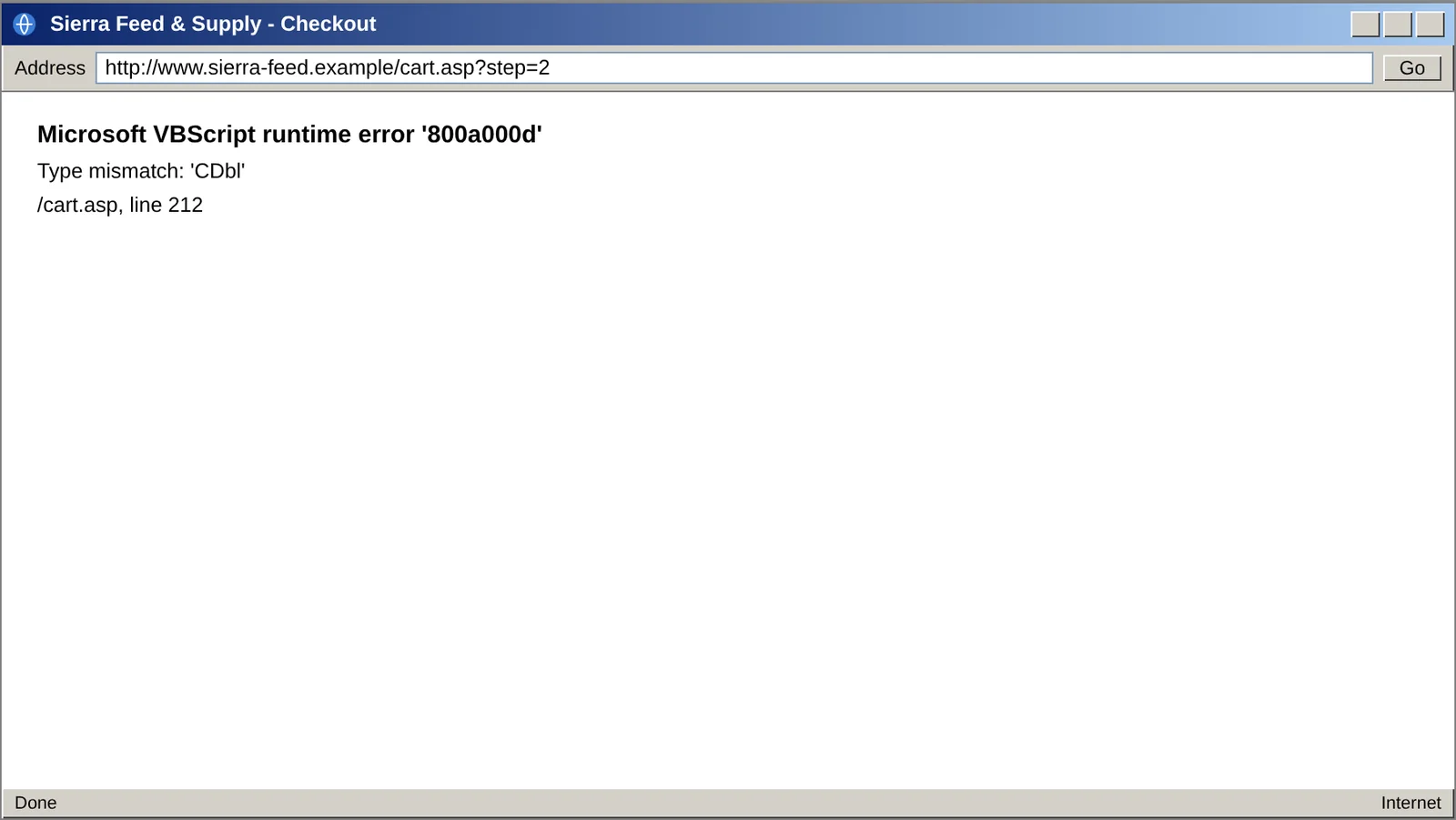
Help gets scarcer every year. Fewer developers know VBScript or Web Forms, so each fix takes longer and costs more. When something does break, customers may see the server's raw error instead of a friendly message.
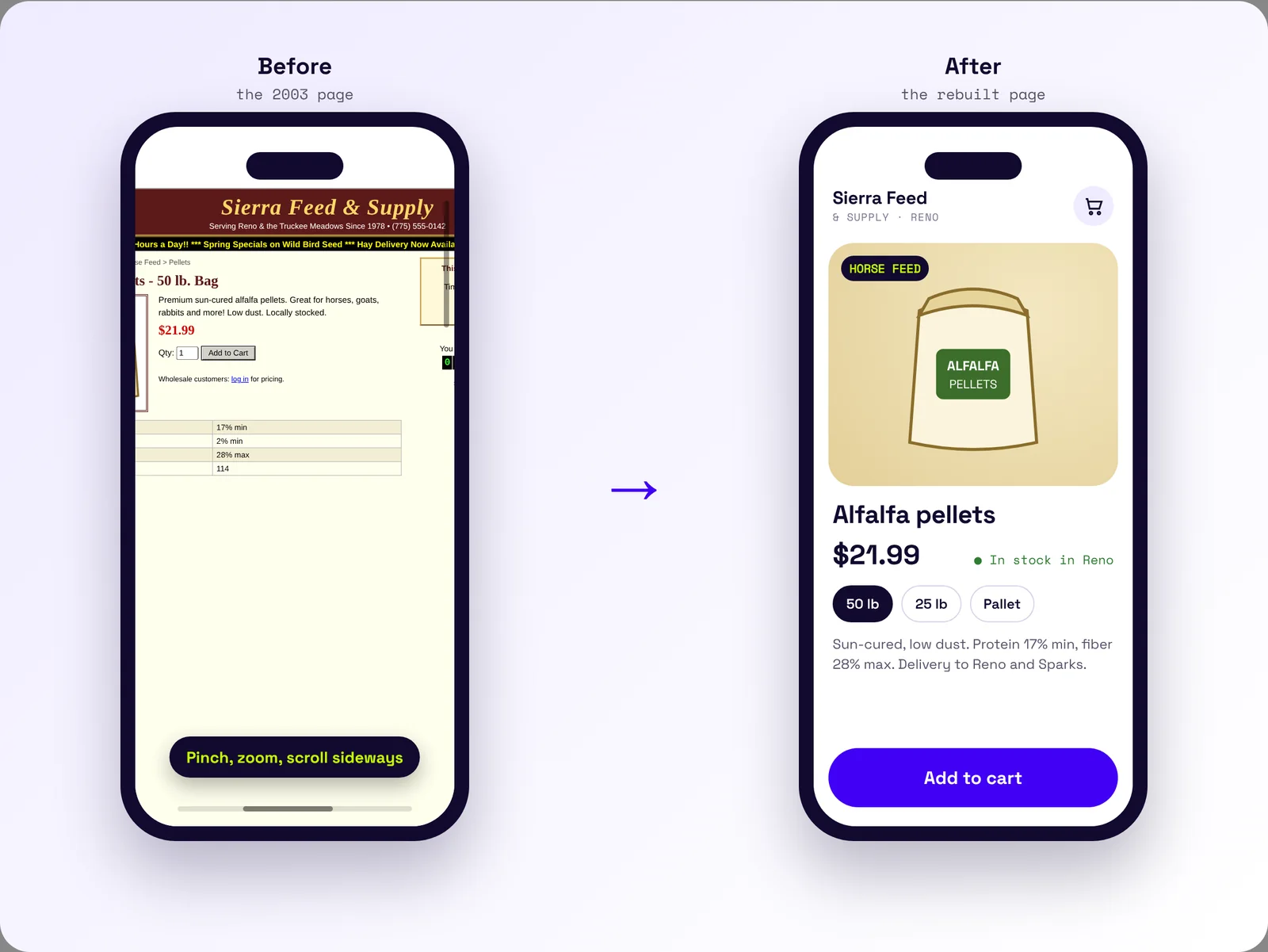
Most of these sites were also laid out for desktop monitors, in fixed-width tables. On a phone, customers pinch and zoom, or they leave. A mobile layout can be bolted on, but the original design fights it the whole way.
Plenty of owners weigh those costs and decide to wait anyway. That's a fair call, as long as they know how long they can wait.
A site on 2022 or 2025 has years. A site on 2016 has months.
When support ends: Windows Server and VBScript dates
Deprecation means a company has announced it is winding something down. Nobody flips a switch on these sites. Support wears away in stages, and each stage tends to arrive as an email or a bill.
The server loses its security updates. This is the real deadline. Windows Server 2012 and 2012 R2 reached end of support on October 10, 2023. Microsoft sold paid Extended Security Updates for three more years, and those ended on October 13, 2026. Windows Server 2016 reaches end of support on January 12, 2027, and Microsoft is selling paid extra updates for it through a cloud service called Azure Arc. After the last patch the site keeps running. It just stops getting fixes when someone finds a hole.
VBScript becomes optional. Microsoft turned VBScript into an add-on you install separately, called a Feature on Demand, in Windows 11 version 24H2. It plans to switch it off by default around 2027 and remove it in a later Windows release. Windows Server 2025 still comes with it installed. Microsoft hasn't published a separate plan for ASP pages, which are mostly written in VBScript.
Your host changes the deal. Windows hosting carries Microsoft license costs that Linux hosting doesn't. A host can retire an old Windows plan or raise its price, and you find out by email.
The people you do business with start asking questions. If your site takes cards, the card industry's security rules, called PCI DSS, require critical and high-priority security patches to be installed within one month of release. A server with no patches coming can't keep up with that. The same rules call for reviewing your technology every 12 months, including any "end of life" plans its maker has announced. Cyber insurance applications often ask about unsupported systems too.
And one day the last developer who knows the site retires. For a lot of owners, that's the deadline that actually comes first.
How to check what your site runs on
Start with the address bar. Pages ending in .asp mean Classic ASP. Pages ending in .aspx usually mean ASP.NET Web Forms.
Next, find out which Windows Server version the site runs on. Your host or IT person can answer in one email. Ask two questions: which version of Windows Server is my site on, and when does its support end? To check yourself, our free website check reads it for you, or any "HTTP header checker" will show a line labeled Server. "Microsoft-IIS/8.5" means Windows Server 2012 R2, and 8.0 means Windows Server 2012. Anything below 10.0 is already past Microsoft's dates. "Microsoft-IIS/10.0" means 2016 or newer, so you'll still need to ask which one.
Then put the date on the calendar, with a reminder a year ahead. Windows Server 2019 is supported until January 9, 2029. Windows Server 2022 runs until October 14, 2031, and Windows Server 2025 until November 14, 2034. A site on 2022 or 2025 has years. A site on 2016 has months. Owners who check early get to pick the timing. Wait long enough and it gets picked for you, by an email from the host or an update that fails.
- Jun 1995PHP announcedWeb platforms
- Dec 1996Classic ASP 1.0Web platforms
- Nov 2000ASP 3.0, the last versionWeb platforms
- Jan 2002ASP.NET and .NET Framework 1.0Web platforms
- Jun 2016ASP.NET Core 1.0Web platforms
- Apr 2019.NET Framework 4.8, last major versionWeb platforms
- Aug 2022.NET Framework 4.8.1Web platforms
- Oct 2023Windows Server 2012 / 2012 R2 support endsServer support ends
- 2024VBScript becomes optionalVBScript
- Nov 2025PHP 8.5Web platforms
- Oct 20262012 / 2012 R2 paid updates endServer support ends
- TodayOctober 2026
- Jan 12, 2027Windows Server 2016 and .NET Framework 4.6.2Server support ends
- ~2027VBScript off by defaultVBScript
- Jan 9, 2029Windows Server 2019Server support ends
- Oct 14, 2031Windows Server 2022Server support ends
- Nov 14, 2034Windows Server 2025Server support ends
- LaterVBScript removed (no date yet)VBScript
When the time comes to move, the search rankings can come along. A developer builds a redirect map, a list that sends every old .asp or .aspx address to its matching new page. Google's guidance for site moves recommends exactly this, with permanent redirects left in place for at least a year. Rankings can wobble for a while during a move, and Google says that's normal.
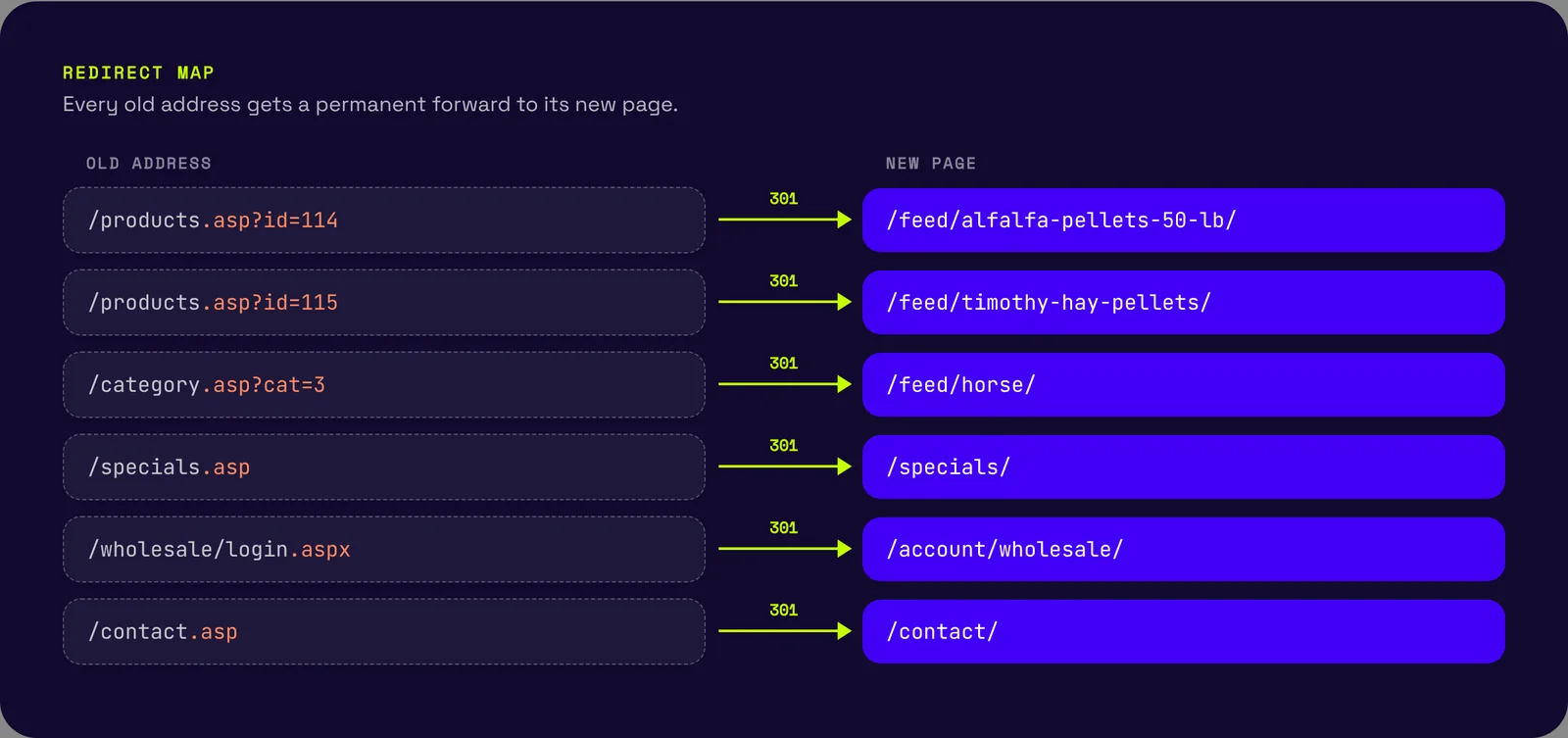
.asp address points to its matching new page, so years of search history follow the products to their new home.Common questions
Will Classic ASP stop working when VBScript goes away?
Microsoft hasn't said. VBScript became an optional add-on in Windows 11 version 24H2, and Microsoft plans to switch it off by default around 2027. Windows Server 2025 still comes with it installed. Most ASP pages are written in VBScript, so test the site before you move it to a newer Windows version.
Can ASP.NET Web Forms run on ASP.NET Core?
No. Microsoft said in 2019 that it would not bring Web Forms to the new platform. Web Forms keeps running on .NET Framework 4.8.1, which is supported for as long as the Windows version it's installed on. Moving to ASP.NET Core means rebuilding the pages.
Will I lose my Google rankings if I move off .asp pages?
Not if every old address gets a permanent redirect to its matching new page. Google recommends keeping those redirects for at least a year, and it says rankings can move around for a while during a site move.
Can the old site keep running while a new one is built?
Yes. A new site is normally built and tested at a separate address while the old one keeps taking orders. When it is ready, the domain is pointed at the new site and the redirect map sends every old address to its new page.

Wilder Labs Studio is a software studio in Reno, Nevada. We build websites and tools for small businesses, and we spend a lot of time inside older ones.
Not sure what your site runs on? Send us the address and we’ll tell you.
[email protected]Sierra Feed & Supply is a fictional business. The screens are mock-ups.